A writing tool for ambitious authors.
Bramble is the writing app for novelists whose stories outgrew their tools. Fantasy epics, LitRPG sagas, big casts: organized so you can stay in the story instead of struggling to manage it.
Free for 14 days. No credit card. Made for macOS 15 Sequoia and up.
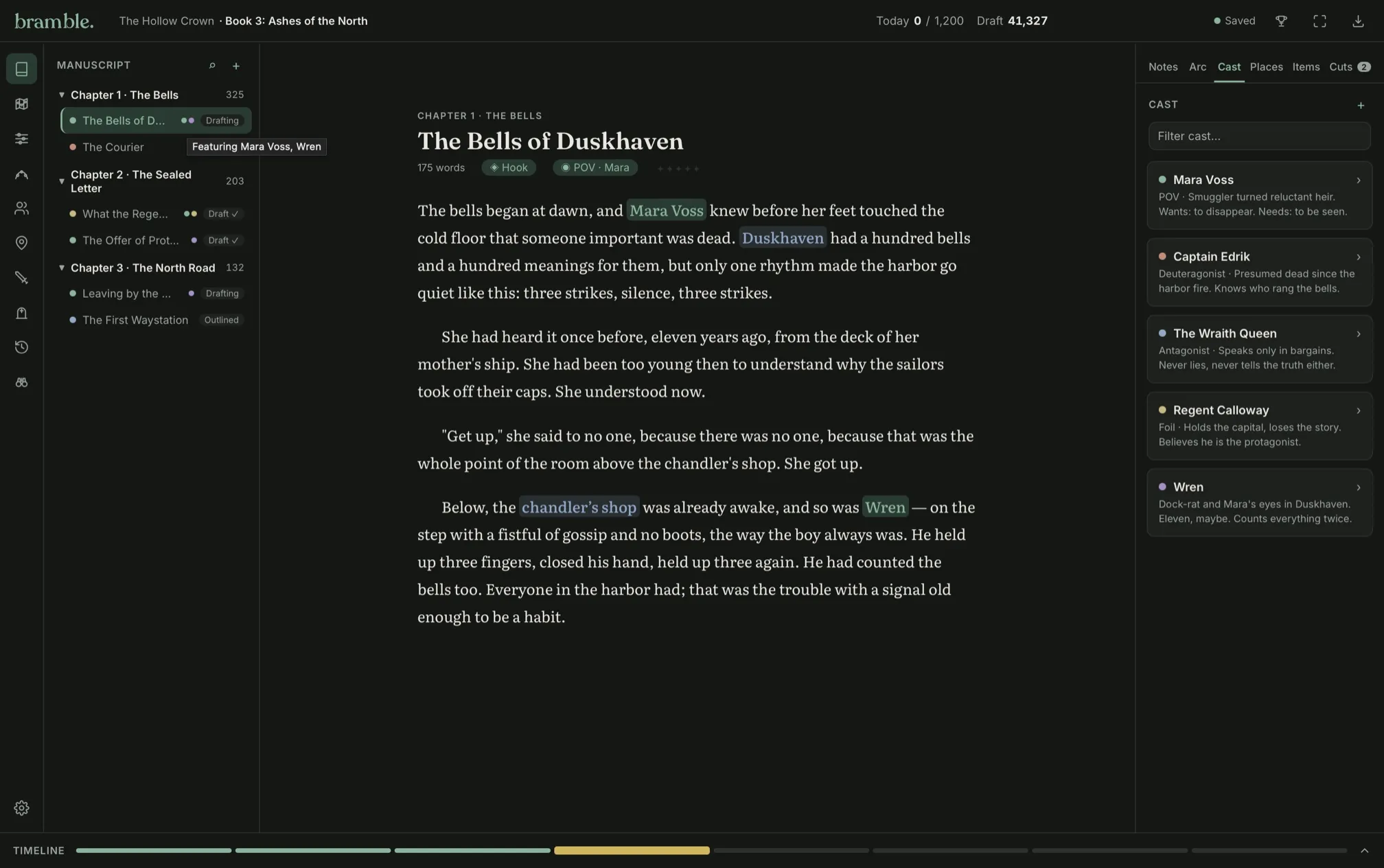
Your story lives in seventeen places. None of them talk to each other.
A notebook, two spreadsheets, sticky notes, a whiteboard you can't erase, and a document called "NOTES Final V3.8 FINAL_1"? Every time you stop to check your notes costs momentum.
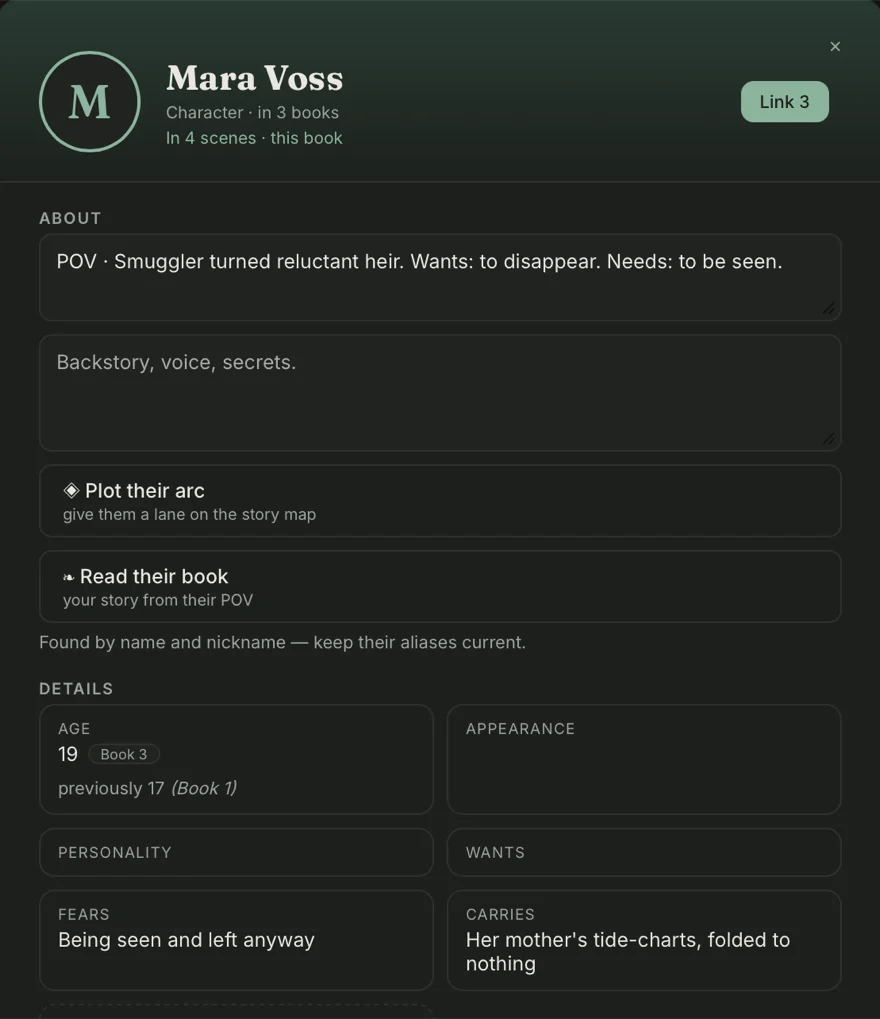
Organize everything. Find anything. Stay in the story.
One home for it all
Characters, places, items, and the rules of your world live in a Series Bible right beside the page. Jot things down the moment you invent them, and find them the moment you need them.
Any fact in seconds
Travel time to the capital? Which of them was holding the cursed chalice in chapter nine? Who was the last suspect again? One search, and Bramble digs through every scene, note, and card in the whole series.
Momentum, built-in
Open Bramble and the shelf already knows where you were — the chapter, the scene, and any note you left your future self, one click from carrying on. And then there's the sprints, goals, and Challenges to keep you motivated (confetti optional). You've got this!
Tag a name once. Bramble keeps the index.
Mark a character, a place, or an item mid-sentence and it becomes a real entry in your Series Bible, indexed everywhere it turns up, in every book on the shelf. You decide what earns a card. The counting afterwards isn’t your job.
@ for cast, # for places, * for items.
- 1Type @ and the list opens
- 2Keep typing and it narrows
- 3Return links the name
He had not meant to come back to Ashfall. He’d left the salt-iron key on the sill where the tide could take it, and told himself that was the end of it. The fog gave his name to the gate anyway, and the gate groaned open.
There stood Kael Aldren.
Places and items work the same way: same list, same card, different key.
At sign, Cast
Kael had lied before.
Hash, Place
The Ashfall gate held fast.
Asterisk, Item
The Ember Knife cooled.
The ones you already typed still count.
Book one
“Mara lied,” he said.
Mara lied beautifully.
Book two
He waited for Mara.
Bramble helps you build your bible as you write. You decide who’s worth a card, and it does the tedious work behind the scenes.
Series, sagas, and sprawling worlds aren't a problem anymore.
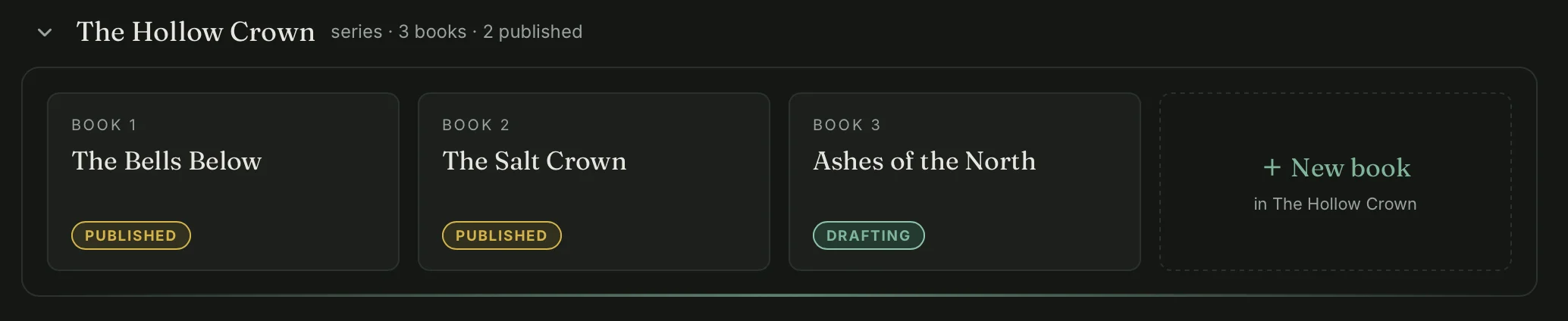
A Series Bible spans every book
Your series live on shelves with a bible that travels through each book. Rename someone in book four, and books one through three fix themselves — every mention, everywhere. Not sure it's a series yet? Start with one book; Bramble keeps up. Stay ten steps ahead of those pesky readers hunting for missteps.
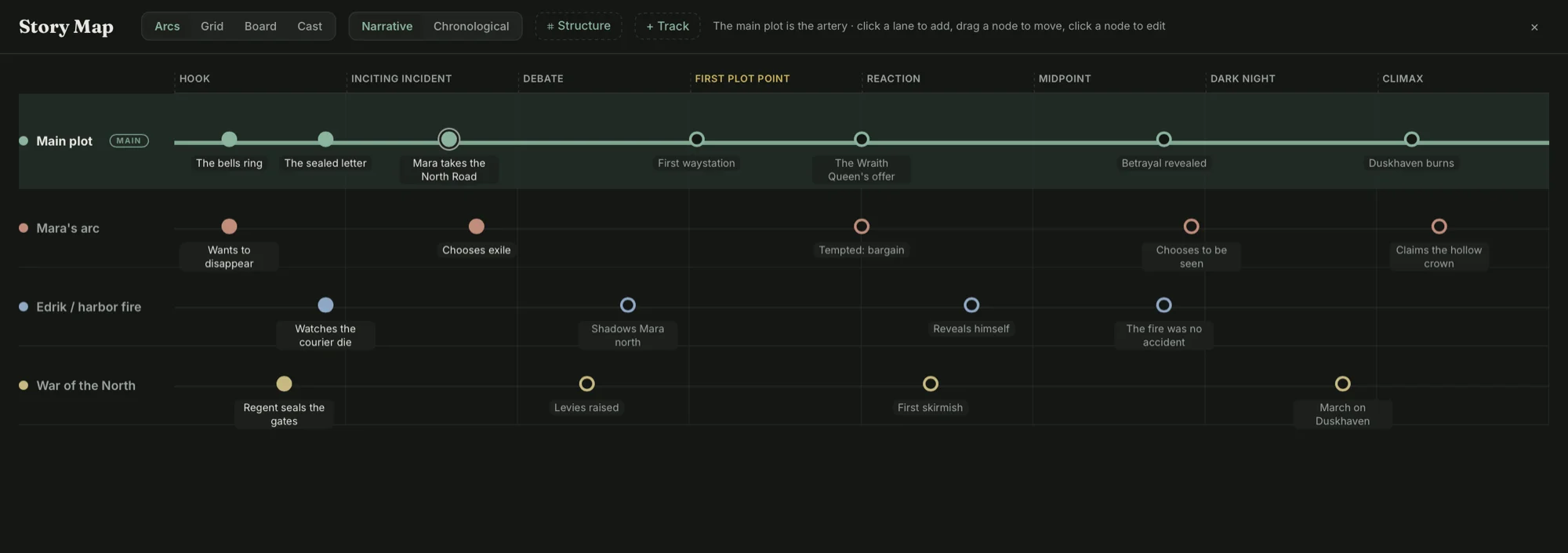
Every arc, mapped beat by beat
The Story Map gives every plotline its own lane, from hook to climax. See where arcs collide, where a thread goes quiet, and what still needs paying off. Six ways to look at it, ten structures to start from, and the whole book from ten thousand feet.
Pin it. Connect it. See it all.
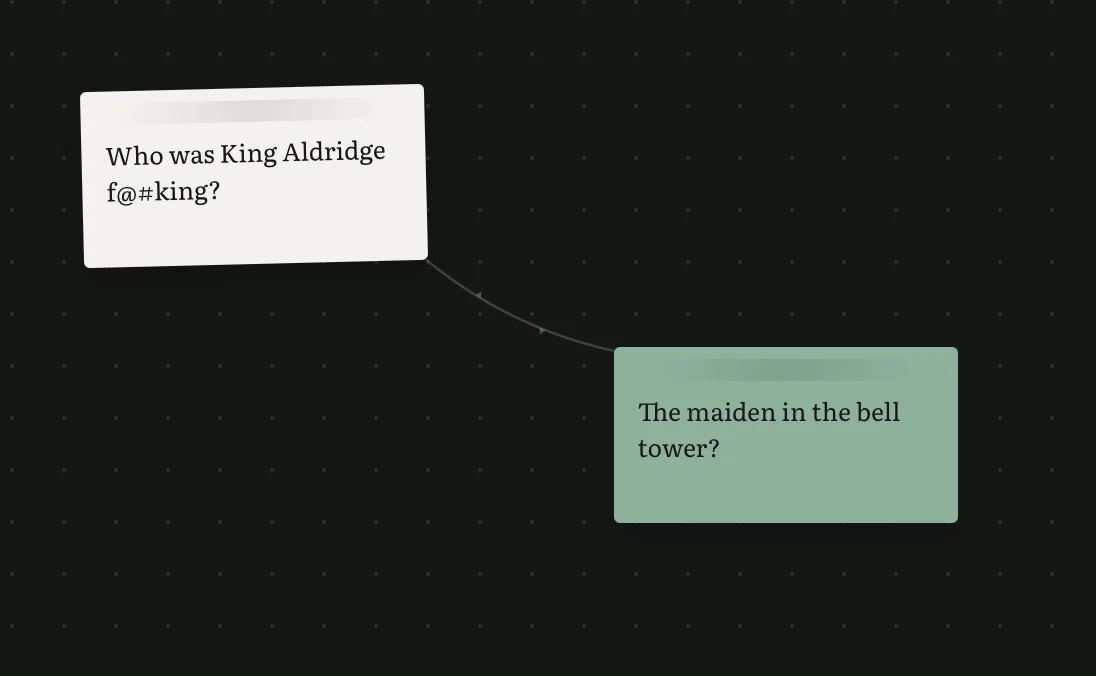
The Board is your bulletin-board and mind map: pin characters, scenes, and ideas as cards. Draw tendrils from one to another to string connections. Brainstorm a heist, map out a love triangle, untangle the conspiracy, all without leaving the app.
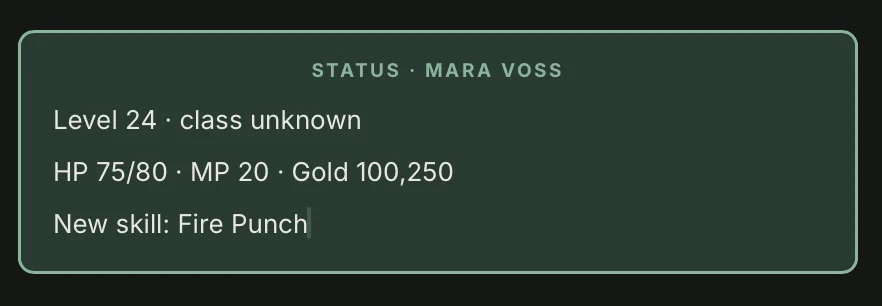
LitRPG, treated with the respect it deserves
Stat Boxes are built into the database, inserted into the page and linked to your characters in the Series Bible. No more spreadsheets!
Revise your whole book, without the app-switching.
A full revision kit, built in and offline. Flip on a lens to catch one bad habit at a time, or let the Manuscript Report read your draft back to you: where it races, where it sags, which words you lean on. A compass, not a grade.
The dark and stormy night pressed at the glass. Kael felt the shadow shift, and he turned slowly, quietly, toward a door that had been left open by just someone.
Because the gate was sealed after the war, and because no one who tried in order to cross it really came back, Kael waited in the shadow of the wall. [describe the throne room] “Who goes there?” Bill exclaimed, and his heart pounded in his chest.
Writing mechanics that don’t guess.
“Well,” she said.
He could of sworn it.
Flip the locale and the comma steps outside the quote. Bramble follows your setting instead of overriding it. The green squiggle catches confusables, doubled words, and stray spaces, and a name from your bible is never red-squiggled as a typo. No AI, no network: it flags what a machine can be sure of, and leaves the rest to you.
You’ll never lose a word, or a version.
Bramble saves every keystroke while you type, and every scene keeps its own history to scrub back through. Snapshot the moments you care about in a Time Capsule. And anything you cut rests in the Graveyard: never gone, just buried.
One book in, any file type out.
Bramble can import your existing files and compile your book back out too. Pick from a wide range of formats, none of them proprietary.
Archive your whole library and every file is versioned — a new one never overwrites the last.
Built for the writers other apps forgot.
Seven Kingdoms and a tired custodian: you. Get your realm under control.
LitRPG authorsStats, skills, systems... Stay ahead of it all.
Series writersBook five in the works? Try the Series Bible instead of a re-read.
Writers with ADHDI'm one, which is why I built this tool. Bramble keeps track, so I can focus on the creativity! Dopamine activate!
— SJ McKay, founder
A desk that matches your book or mood.
Tired of a boring white page? Desk themes can change the vibe of the app to match the genre you're working in, beyond dark mode.
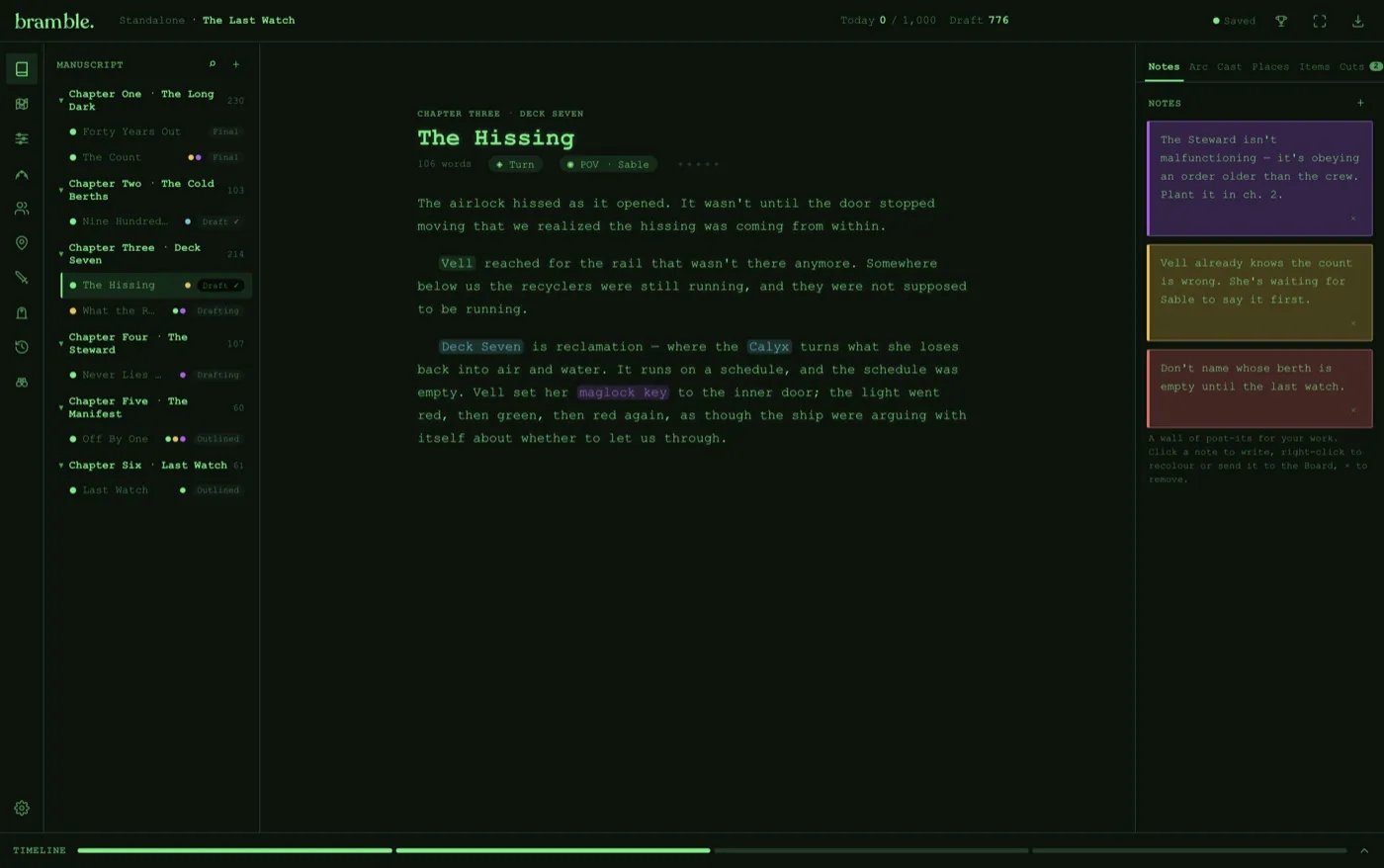
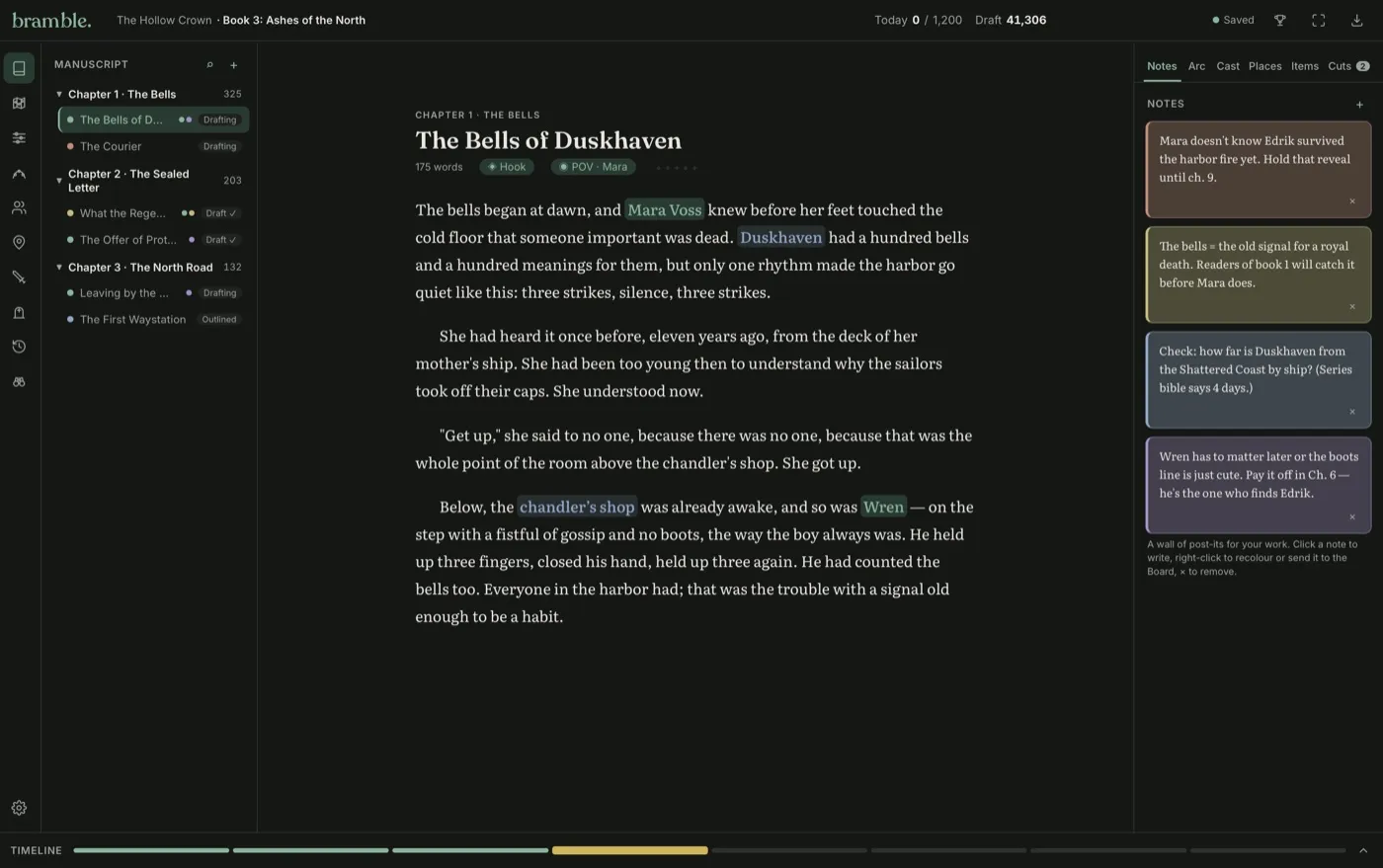
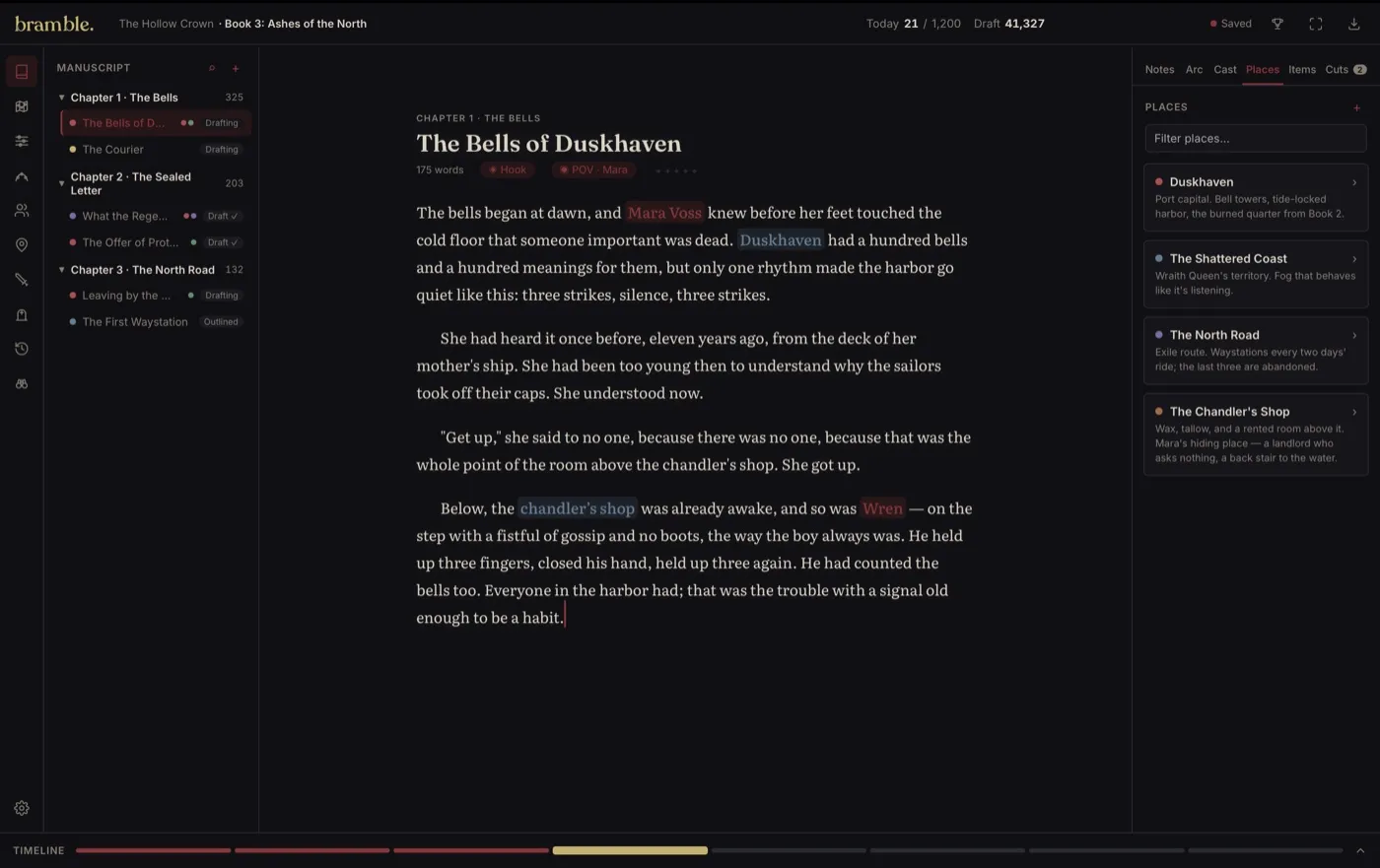
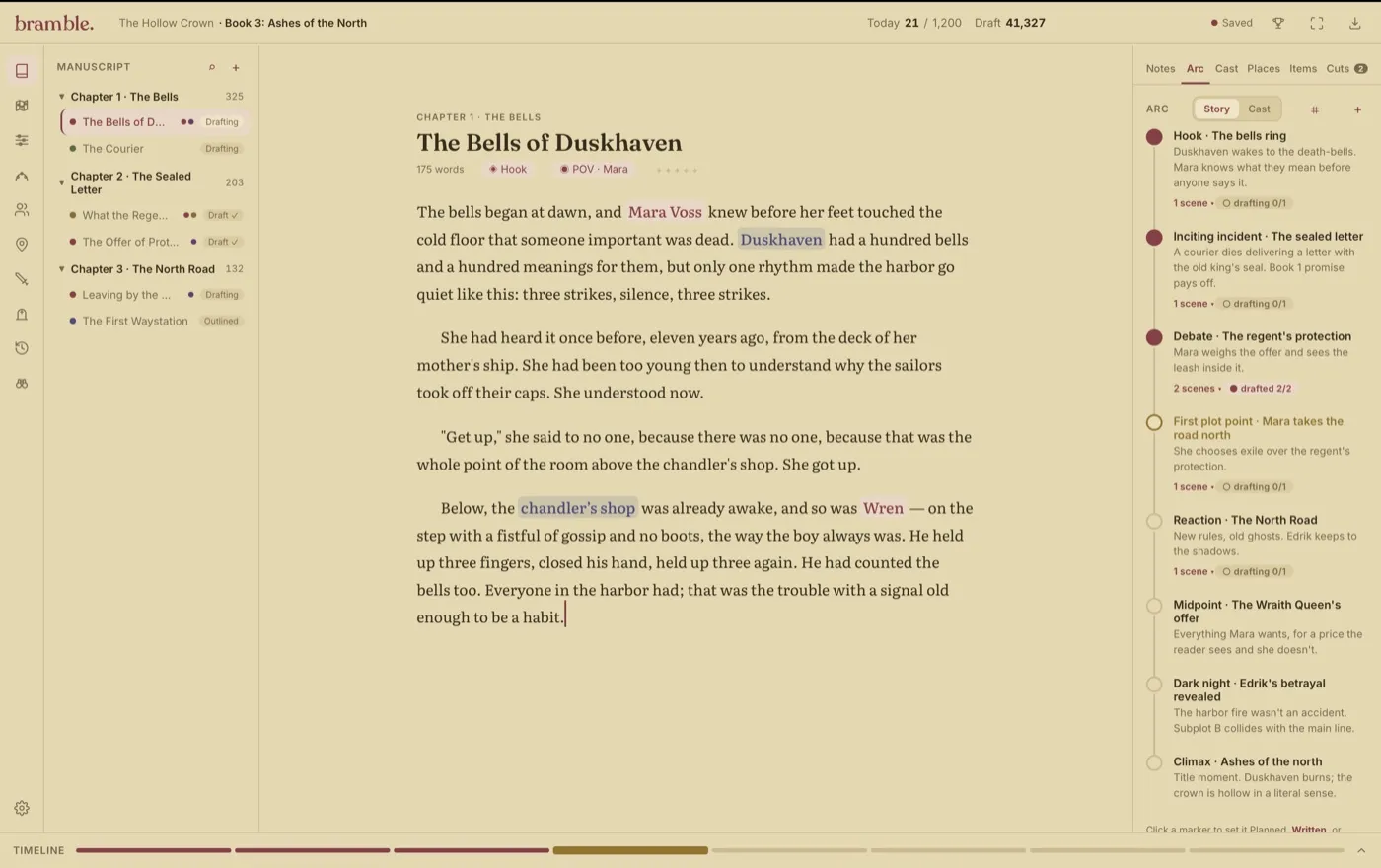
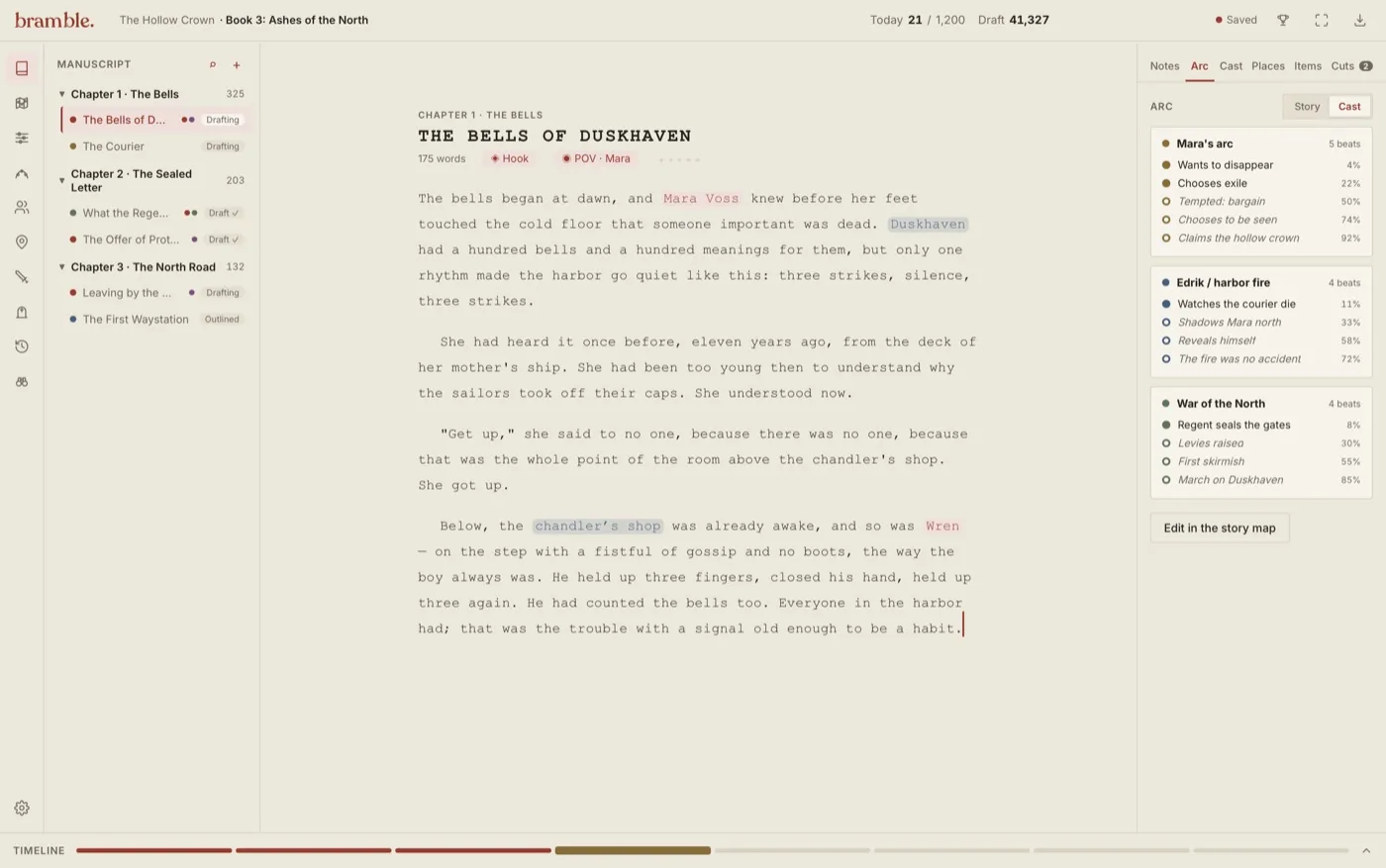
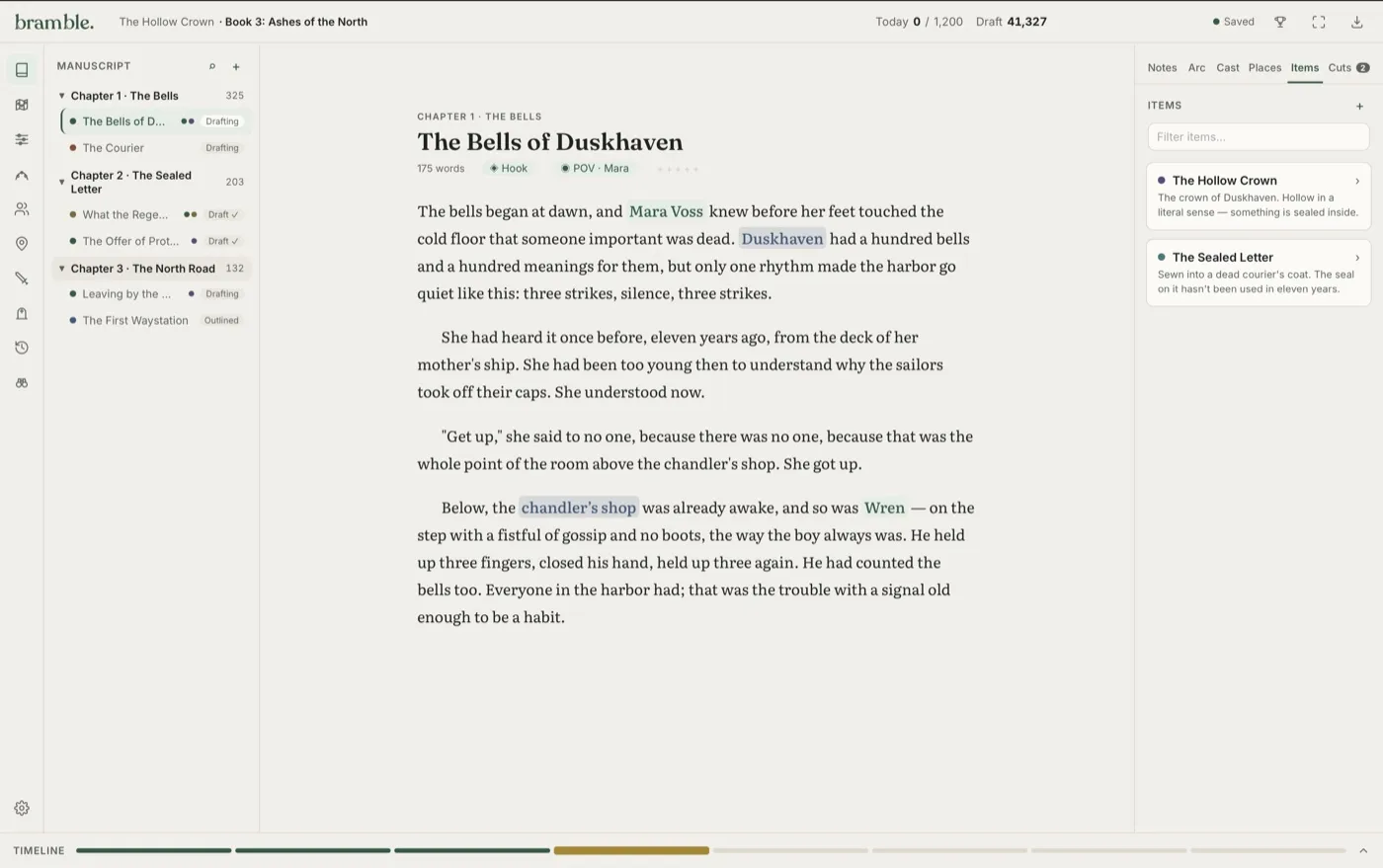
Six themes to choose from: Classic, Dark, Romantasy, Sci-fi, Great American Novel, and Gothic. Switch anytime with a keystroke. Your words never change, only the room around them. And when even the room is too much, one more keystroke fades everything but the page.
Writers are finishing books with Bramble.
"While I was working on my fourth book, I opened Book 1 to fact-check something and, for the first time in my life, did not lose the afternoon."
"I love that the stat blocks connect to character cards. No more spreadsheets anymore!"
"It's the first app that understands my book is a mess of moving parts and I need help! Thank you!"
"The story arc board showed me a subplot I forgot about!"
"The 'Previously On' card helps me remember what was going on in my head during my last writing session."
"I stopped being my own continuity department. I'm just the writer now."
Coming from Scrivener, Dabble, or a pile of spreadsheets?
All of the organization. None of the 900-page manual. See what maps to what.
Bramble vs DabbleWhen the notes panel taps out, the bible steps in. An honest head-to-head.
Bramble vs the pileWord, a spreadsheet, a wiki, and a notebook. Individually reasonable. Collectively the problem.
Scrivener and Dabble are trademarks of their respective owners. Bramble is not affiliated with, endorsed by, or sponsored by them.
Try it free for 14 days, or make it yours for life.
Bramble doesn't use proprietary filetypes, so any work you create during your trial can easily be taken with you. Although we do hope you stay!
Free Trial
- Every feature, no locked doors
- Import your manuscript from Word
- Your work is yours, trial or not
Founder Edition
- Everything in the trial, unlocked forever
- A lifetime license, not a subscription
- First access to new features; you fund the roadmap
A one-time license, never a subscription. Your words stay in plain files on your Mac.
Launch news, writing tips, and the occasional discount — free on Substack, no spam, leave anytime.
Fair questions, straight answers.
What is Bramble?
Bramble is novel writing software that keeps characters, locations, storylines, and world rules organized in one place, beside the page. It is built for fantasy writers, LitRPG authors, series writers, and anyone whose story outgrew their tools.
Can I import my existing manuscript?
Yes. Bramble imports Word (.docx), EPUB, HTML, Markdown, and plain text, so your book arrives with its chapters intact and zero copy-paste penance. Scrivener compiles to EPUB and Ulysses speaks Markdown, so both import directly. Bramble also proposes the cast and places it finds on the way in; nobody joins your bible without your say-so. A one-pass Tidy Up sweeps out the double spaces and tab indents that an old draft drags in.
What happens when the trial ends?
It just ends. No card was taken, so nothing gets charged and nothing needs canceling. Your books stay open to reread anytime; editing waits until you buy. Everything picks up right where you left it.
What does "lifetime" mean in the Founder Edition?
The lifetime of Bramble's core product: every current and future core feature, one writer, forever. Test it first with the 14-day free trial, and if you buy and change your mind, our payment provider Lemon Squeezy offers a 30-day refund policy.
Is my writing private?
Your manuscript is your manuscript. Bramble is a writing tool, not an AI that trains on your book. The app phones home for exactly two things — updates and your license key — and neither call carries a single word of your writing. There is no server for your book to reach; we never built one.
Does Bramble work offline? Is it Mac-only?
Yes. Bramble is a macOS app and your manuscripts are plain files on your Mac, so you can write on a plane, in a cabin, anywhere. We recommend keeping your library folder in iCloud, Dropbox, or Google for redundancy.
What do I need to run Bramble?
A Mac running macOS 15 Sequoia or later. That's the whole list.
Reach out to us at @trybramble on Instagram or info@trybramble.app for questions and support!

Your story is waiting. Stop managing it and start writing it.
Join the writers who stopped losing fights with their own notes.
Try Bramble FreeFree for 14 days. No credit card required.
Privacy Policy
The short version. Bramble is a macOS app that runs on your computer. Your manuscripts, characters, notes, and everything else you create live as plain files on your Mac, not on our servers. We can't read your book. We don't want to. We don't train anything on it.
What Bramble stores, and where
Your projects are non-proprietary files on your disk. They stay there. Bramble does not upload your writing to us, and there is no Bramble cloud your manuscript is copied to. If you choose to keep your library in iCloud, Dropbox, or Google Drive, that is your storage provider under their terms, not ours.
What we do collect
Only what's needed to sell and license the app. When you buy Bramble or start a trial, our payment provider handles the transaction and we receive your email address and license status so we can support you and keep your license valid.
- Purchase and license data. Handled by Lemon Squeezy (or any successor payment provider) acting as merchant of record. They process your payment and billing details; we never see or store your full card information. We receive your email, order, and license key status.
- License validation. Bramble contacts the licensing service to confirm your license is active, with an offline grace period so you can keep writing without a connection. This exchanges your license key, not your writing.
- Update checks. Bramble checks for new versions so you get fixes and features.
- Optional support contact. If you email info@trybramble.app, we keep that correspondence to help you.
What we don't do
We don't sell your data. We don't use your writing to train AI. We don't run advertising trackers inside the app. There is no generative AI in your manuscript, by design.
Your choices
You can request a copy of the limited data we hold (your email, order, and license status), ask us to delete it, or deactivate a license from your device. Because your writing lives on your Mac, deleting your account with us does not touch your manuscripts; those are yours to keep or remove.
Contact
Questions about privacy? Email info@trybramble.app. The full, current policy is published at https://trybramble.app/privacy.
Field notes for writers with too many characters.
Craft guides, honest comparisons, and systems for stories with moving parts.